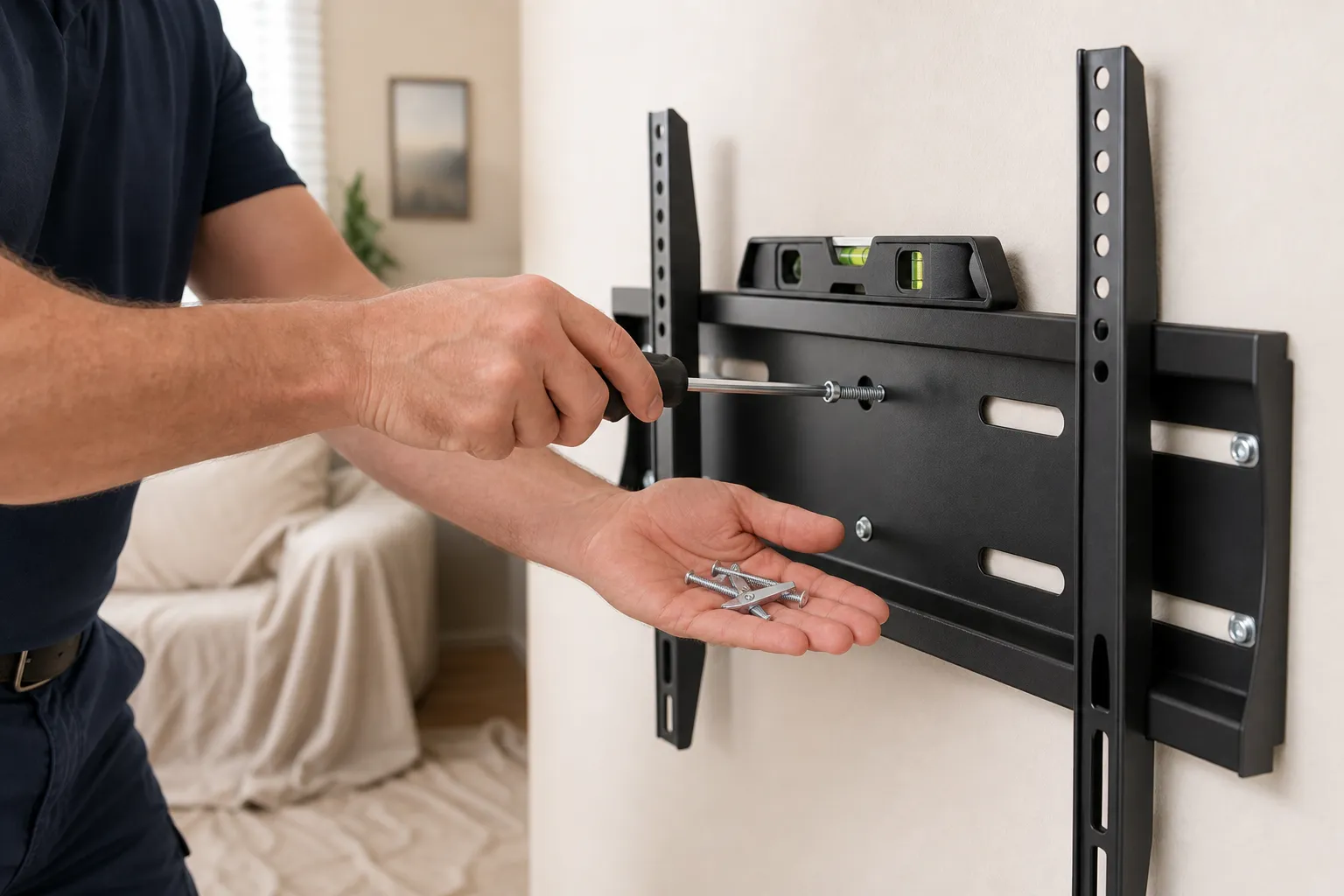
You picked the perfect wall for your TV, ran a stud finder across it, and found nothing but empty drywall exactly where the bracket needs to go. It's one of the most common snags we hear about - the studs never seem to land where you want the screen. The short answer is yes, you can mount a TV without hitting a stud, but how you do it matters a lot, because drywall on its own holds almost nothing.
When this is DIY-friendly: a smaller TV (roughly 32" and under) on solid drywall using proper toggle anchors, or any TV on a masonry wall you're comfortable drilling. When to call a pro: a large or heavy TV where no stud is reachable, a brick or block fireplace wall, a wall you suspect has pipes or wiring behind it, or any full-motion arm that swings the weight out and multiplies the leverage. Those are the setups that end with a TV on the floor if the anchoring is wrong.
First, Know What's Behind the Wall
Your fix depends entirely on the wall type, so figure that out before you buy anything:
- Wood studs behind drywall: the ideal case - even one stud plus a mounting plate solves the problem (more on that below).
- Drywall with no reachable stud: you're relying on the drywall itself, so anchor choice is everything.
- Metal studs: common in some newer construction. The thin steel won't hold a lag screw, so you anchor through it with toggles rather than screwing into it.
- Brick, block, or a masonry fireplace: no studs at all - you drill into the masonry itself with the right anchors.
What Actually Holds a TV on Drywall
Not all anchors are close to equal. This is where most failed mounts go wrong.
Cheap plastic expansion anchors - the ones that come in the mount box - will not hold a TV. They work by pressing outward against the gypsum, and gypsum is basically compressed chalk with almost no pull-out strength. A TV hangs its weight away from the wall, which levers the top anchors straight out. Those little plastic sleeves are fine for a picture frame and dangerous for a television.
Toggle bolts and strap toggles (like SnapToggle or the classic spring-wing toggle) are the real answer for drywall. Instead of gripping the crumbly face, they spread the load across a metal bar or wings behind the drywall. A quality 1/4"-20 strap toggle is rated in the low hundreds of pounds of pull-out in half-inch drywall. Two cautions on those ratings, though: they're lab pull-out figures for a single anchor pulled straight out, and a mounted TV adds leverage at the top row that no spec sheet fully captures. Treat the rating as a ceiling, not a promise, spread the load across all four anchor points, and leave yourself a generous safety margin - a 60" TV is not the place to run an anchor near its limit.
The Better Fix: A Mounting Plate That Spans the Studs
If you can reach even one stud near your spot, the cleanest solution is to add a backer. Screw a piece of 3/4" plywood (or a steel mounting rail) into two studs, then attach the TV bracket to that board wherever you want it horizontally. Now the TV's weight is carried by the framing, not the drywall, and you're free to center the screen exactly where it looks right. Paint the plywood to match the wall and it disappears behind the TV. This is our go-to on walls where the studs and the ideal TV position just don't line up.
Mounting to Brick or Masonry
On a brick or block wall there are no studs to worry about - the masonry itself is the anchor. Drill into the solid face of the brick (not the softer mortar joints) with a hammer drill and a masonry bit, then set sleeve anchors or masonry screws. Anchored into the brick body, these hold far more than any drywall anchor. The catch is dust and the need for the right drill, which is one reason a masonry fireplace mount is a common call-a-pro job.
Tools & Materials You'll Need
- Stud finder (ideally one that also detects live AC wiring)
- Drill/driver, plus a hammer drill and masonry bit for brick or block
- Rated strap toggles or spring-wing toggle bolts sized to your TV's weight
- Sleeve anchors or masonry screws for brick/block walls
- 3/4" plywood or a steel mounting rail if you're spanning studs
- A good level and a tape measure
- The TV's own mounting hardware (keep the instruction sheet)
How to Do It Safely, Step by Step
Check for studs, wires, and pipes
Run the stud finder across the whole area, not just one line. Mark any studs you find and, before drilling, confirm nothing electrical or plumbing is behind your holes - bathrooms, kitchens, and fireplace walls are the usual trouble spots.
Match the anchor to the wall and the weight
Add up the TV weight plus the mount, then pick anchors rated well above that. Toggles for drywall, masonry screws or sleeve anchors for brick, a plywood backer into studs whenever you can reach them.
Drill clean, correctly sized holes
Toggles need a hole big enough to pass the folded wings - too small and you'll fight them, too big and they won't seat. On masonry, drill to the anchor's spec depth so it sets fully.
Set the bracket level and snug the anchors
Level the wall bracket, then tighten each anchor firmly without stripping it. On drywall toggles, stop when it's solid - over-cranking can crush the gypsum and loosen the grip you just made.
Load-test before you trust it
With the bracket mounted (TV still off the wall), grab it and pull down and outward with real force. It should not shift, creak, or pop. If anything moves, stop and rethink the anchoring - that's the wall telling you the truth.
Common Mistakes to Avoid
- Using the plastic anchors in the box. They're rated for light duty, not a leaning, levering television.
- Anchoring into mortar joints on brick. The joint is softer and crumbles - drill the solid brick face.
- Trusting a single anchor's rating. Spread the load across all four points and keep a big safety margin.
- Skipping the tug test. Sixty seconds of pulling now beats a cracked screen later.
- Ignoring a nearby stud. If one is within reach, a plywood backer is almost always the stronger, easier answer.
When to Call a Handyman
Call a pro when the TV is large or heavy and no stud is reachable, when you're mounting to brick or a masonry fireplace, when the wall might hide wiring or pipe, or when a full-motion arm puts extra leverage on the anchors. Our TV mounting service in Santa Clarita handles anchor selection, masonry drilling, cable concealment, and a level, load-tested mount in a single visit - so you're not guessing about the thing holding your TV up.
Estimated time: 45 minutes to an hour for a straightforward drywall or stud mount; longer for brick, block, or a plywood-backer setup.